
Key Takeaways
- Both all-in-one video conferencing bars have similar specs and features, but the X52 has a few key upgrades.
- The X52 has a more powerful Qualcomm 865 processor compared to the X50’s Qualcomm 835.
- The X50 is designed for small to medium rooms and has a 15-ft. audio pickup range; the X52 is designed for medium rooms and has a 20-ft. pickup range.
- The X50 has a wider 110° field of view compared to the X52’s narrower 95° field of view.
All-in-one conferencing bars are now common fixtures in modern meeting rooms and offices. As hybrid workflows and remote collaboration become increasingly prevalent, the need for effective, intelligent, and user-friendly video conferencing solutions grows.
Enter the Poly Studio X50 and its next-gen successor, the Studio X52.
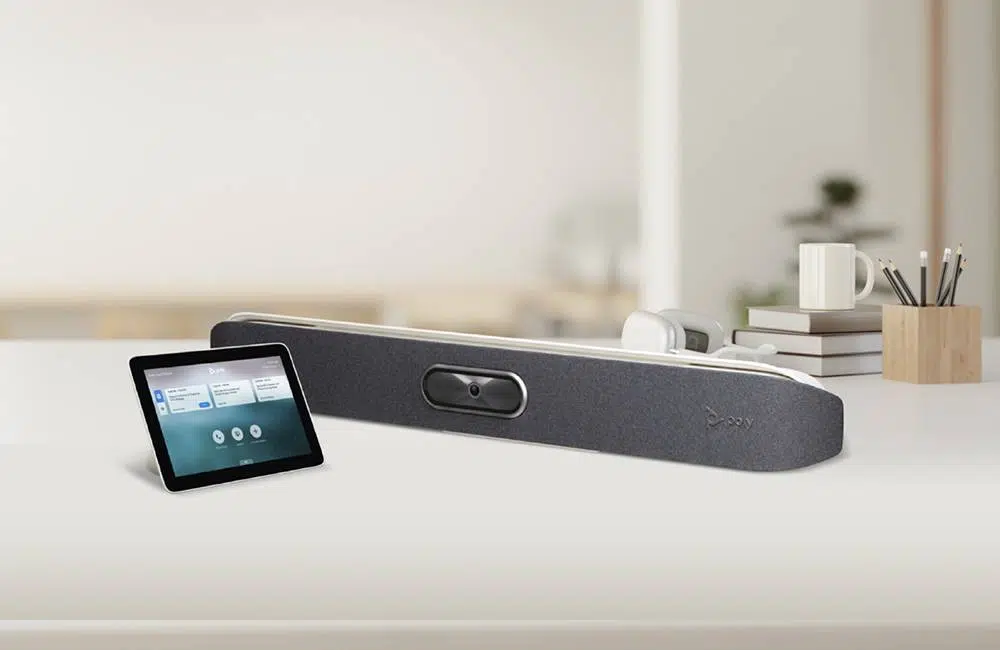
When comparing the Poly Studio X50 vs. X52, you’ll find that they have a lot in common, but there are key differences to consider, too.
- Both plug-and-play video bars come equipped with a 4K camera, stereo speakers, advanced beamforming microphones, and AI-powered technologies.
- Both video bars have native operating systems (Poly Video OS) and onboard processors, eliminating the need for an external computer.
What you get with either model is a simple yet elegant video conferencing appliance that works right out of the box. But which one to choose? Here’s everything you need to know to make an informed decision.
Poly Studio X50 vs. X52: A Brief Overview
Let’s start by breaking down both devices’ main features and differentiating factors.
Poly Studio X50
The Poly Studio X50 is designed for small to medium rooms. Its 8MP 4K UHD camera has a wide 110° field of view for accommodating spacious environments and large groups. The X50 comes equipped with a Qualcomm 835 processor and Poly’s signature AI-driven automated framing and noise suppression.
Poly Studio X52
The Poly Studio X52 is designed for medium rooms. Its 20MP 4K UHD camera has a narrower 95° field of view, but it provides better clarity and detail when zoomed in. The X52 has the same AI-powered tracking and noise suppression as its sibling, but they perform more efficiently due to the X52’s more powerful Qualcomm 865 processor.
Poly Studio X50 vs. X52: Key Differences
Both conferencing bars have similar features and use cases, but you may find that one better fits your unique needs. Here are the main differences between the two appliances.
| Feature | Poly Studio X50 | Poly Studio X52 |
|---|---|---|
| Camera Sensor | 8MP | 20MP |
| Microphones | Three MEMS + two second-order | Two MEMS + two second-order |
| Audio Pickup Range | Up to 15 ft. | Up to 20 ft. |
| Field of View | 110° | 95° |
| Processor | Qualcomm 835 | Qualcomm 865 |
| Recommended Controller | Poly TC8 | Poly TC10 |
| Wireless | Wi-Fi 5 (802.11ac) | Wi-Fi 6 (802.11ax) |
| Antimicrobial Protection | No | Microban® Protection |
Don’t Overlook Processing Power
It’s important to note that some shared features are enhanced by the X52’s more robust Qualcomm 865 processor.
For example, when we compared the Poly Studio X50 vs. X52, we found that even though both devices have the same AI technologies, the X52’s AI-driven auto framing was smoother and more responsive. Similarly, the AI-powered noise suppression was more effective.
Further highlighting the performance upgrades achieved through the better processor, they both have 4K cameras, but the X52’s processor allowed for more efficient video processing and encoding.
Ultimately, it’s important that you consider what’s under the hood, not just the specs on paper. Power users will find that the upgraded processor makes a significant difference in the overall experience. With that said, the X50 is still a rock-solid and cost-effective device.
Poly Studio X50 vs. X52: Specs & Features Breakdown
At this point, you should have a basic understanding of the key differences between these two all-in-one video bars. Now, let’s dive deeper into their respective specs and features.
Video Quality
X50 |
X52 |
|---|---|
| The X50 delivers 4K Ultra HD (3840×2160) resolution at up to 30 fps. The 8MP sensor is adequate for standard usage, but clarity may fall short when zooming in. | The X52 delivers 4K Ultra HD (3840×2160) resolution at up to 60 fps. Its superior video quality can be attributed to the newer processor and 20MP sensor that allows for higher-clarity zooming. |
Field of View
X50 |
X52 |
|---|---|
| When comparing the Poly Studio X50 vs. X52, field of view is a significant differentiating factor. The X50’s wider 110° field of view makes it an excellent choice for wider rooms and larger groups, especially if participants will be seated close to the device. | The X52’s narrower 95° doesn’t provide as much coverage, but it really shines when zooming due to the higher concentration of pixels. This feature is especially beneficial in larger rooms where it might otherwise be difficult to see participants seated far away. |
Zoom Capability
X50 |
X52 |
|---|---|
| The 5x digital zoom allows users to focus in on fine details, but the lower-megapixel sensor doesn’t allow for optimal clarity. | When choosing between the Poly Studio X50 vs. X52, consider how often you’ll need to zoom. The X52 also has 5x digital zoom, but the 20MP sensor significantly improves clarity. |
Audio Capture
Both video bars come equipped with an array of advanced beamforming microphones.
X50 |
X52 |
|---|---|
| The X50 has three MEMS microphones and two second‑order microphones, facilitating dependable audio pickup from up to 15 feet away. | The X52 has two MEMS microphones and two second‑order microphones, facilitating dependable audio pickup from up to 20 feet away. Even though the X52 has one fewer mic, its superior processor enhances the Digital Signal Processing (DSP) technology, which is why it still has a higher pickup range. |
Audio Output
When we compared the audio output of the Poly Studio X50 vs. X52, we found that the performance was very similar.
- Both video bars have identical speaker configurations: dual high-performance stereo speakers with 2 x 20-watt RMS power output (40W total).
- Audiophiles may find that the X52’s superior processor supports better DSP performance for higher-fidelity audio, but the average user won’t notice the difference.
Dual Display Support
Both video bars support dual displays.
Wireless Connectivity
X50 |
X52 |
|---|---|
| The X50 uses the older Wi-Fi 5 (802.11ac) standard. | The X52 uses the faster, more stable Wi-Fi 6 (802.11ax) standard. |
AI Technologies
Both video bars feature Poly DirectorAI for automated video framing and Poly Acoustic AI for background noise suppression.
- The X52’s superior processor allows for a higher level of precision, efficiency, and customization for participant tracking, framing transitions, and noise suppression.
Platform Certifications
When choosing between the Poly Studio X50 vs. X52, you’ll find that both video bars are certified for Google Meet, Microsoft Teams, and Zoom Rooms.
Both flexible devices have BYOD (Bring Your Own Device) mode and are compatible with the vast majority of video conferencing platforms.
Connectivity
Both devices come with an array of inputs and outputs, including USB-A, USB-C, HDMI, and Ethernet. Both devices support Bluetooth 5.0 connectivity.
X50 |
X52 |
|---|---|
| The X50 has an analog 3.5 mm audio input and output for connecting external audio devices directly. | The X52 doesn’t have analog audio ports; instead, it uses Bluetooth, HDMI, or USB to connect external devices digitally. |
Antimicrobial Protection
The X52 has Microban® antimicrobial protection on the cloth faceplate. The X50 does not.
Poly Studio X50 vs. X52: Which One Is Right for You?
Ultimately, the X52’s superior processor makes it the higher-performance and more future-proof device. However, the X50 is still outstanding value and may be more appealing to those who need a dependable conferencing bar at a more budget-friendly price point.
Consider these key differences:
- Processing Power: The X52’s Qualcomm 865 delivers a better overall performance, including more efficient video and audio processing and AI-powered features.
- Room Size: The X52’s 20-ft. audio pickup range may be required for medium rooms on the larger end of the spectrum. The X50’s wider 110° field of view may be desirable in wider rooms; the X52’s superior zoom clarity may benefit longer rooms.
- Professional Polish: The visual and auditory differences between the Poly Studio X50 vs. X52 will be negligible to casual users. The X50 is more than adequate for internal calls and check-ins, but the X52 is better suited for leadership meetings and client-facing presentations.
Contact Us for a Free Consultation
Both of these conferencing bars are solid picks. However, we understand that every individual and organization has unique needs and preferences. At Profound Technologies, we offer a wide range of video conferencing hardware so everyone can find their perfect solution.
If you need help making your next move, connect with us now to schedule a one-on-one consultation and remote demo. Our audiovisual specialists can help you choose between the Poly Studio X50 vs. X52 or recommend other devices that may better suit your needs. Transform your workspace today with Profound Technologies.